 Publishing in Yoda
Overview
This is the Publishing in Yoda page, part of VU Tools → Yoda in the A-LIFE RDM collection.
This document focuses on publishing datasets in Yoda.
Supporting materials: Archiving in Yoda
Authors: Irene Martorelli, Brett Olivier — Last modification: 2026-06-24 — Version: 0.1.2
 Browse published VU Yoda datasets
All datasets published in Yoda by VU researchers are searchable via DataCite Commons. Browse the full catalogue:

 1. How does the data package look like once it is published?
You can only publish a dataset after it has been archived in the Yoda Vault. By publishing, a DOI is assigned to your data package, increasing its visibility and making it findable in data catalogues such as DataCite.
When publishing a dataset, you will obtain the same type of landing page indipendently for your data classification and data accessibility you have put when completing the metadata form for archiving. The landing page is like a data cover, in which it will show all the information you have provided in the metadata form it will be visible.
But depending on what type of Data classification and Data Package Access you selected when completing the metadata form, you will see a different data content view for your landing page when you click on the DOI.
For example, when the Data Package Access is Open - freely retrievable, then the View contents blue button in the metadata page is visible underneath the Keywords of the dataset.
Example how this Open published dataset will look like (obtained from DOI) once it is published with the head of the page containing the important main head metadata.

This published dataset, when accessed from the vault will then contain the Published label.
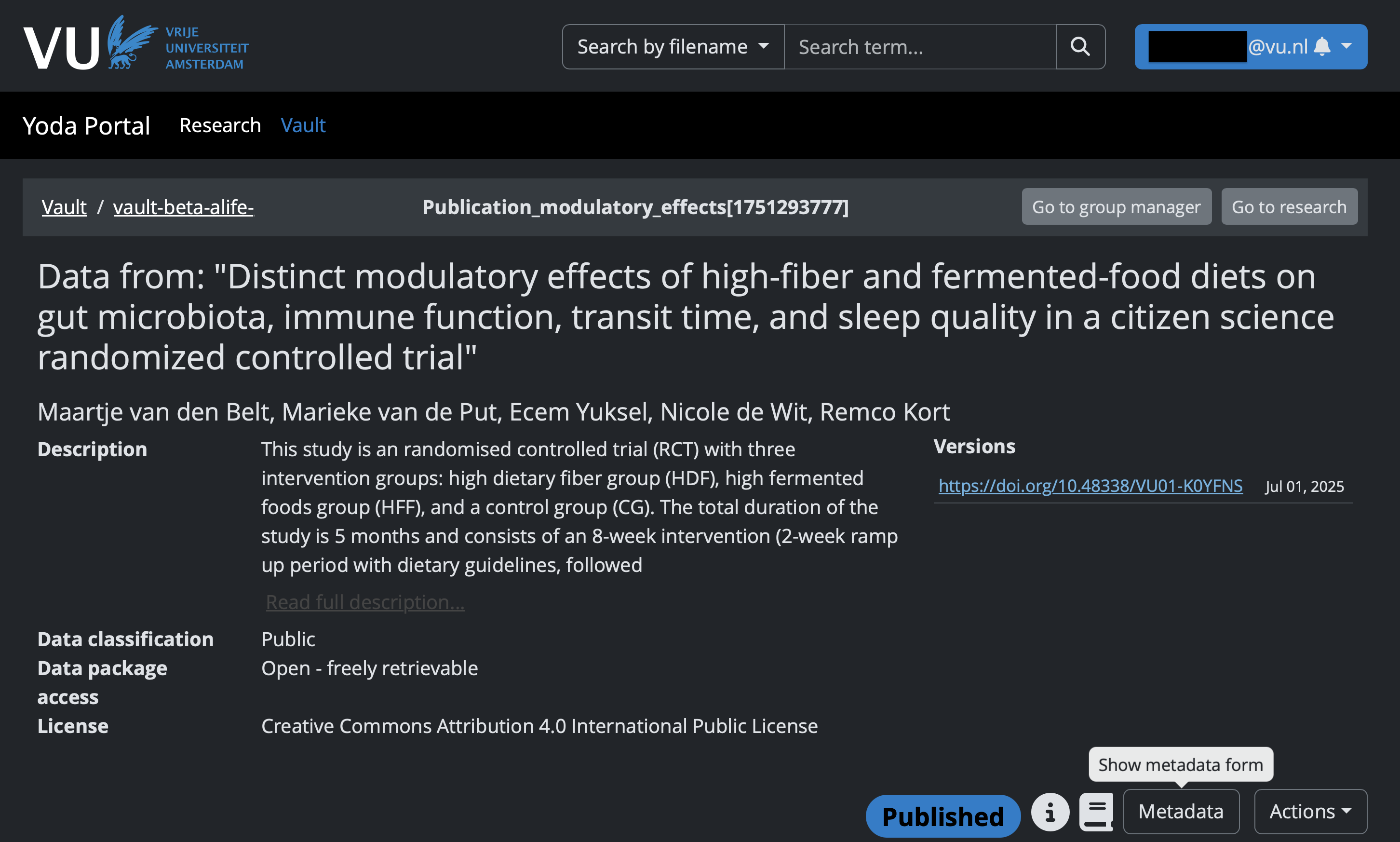
Instead, if the data is labelled as Restricted or Closed for the Data Package Access, then the content of the data is not available and the View contents is not visible on the metadata page published and only the metadata for the data package will be publicly available.
Independently of whether the access of the data content is open, closed, or restricted, the main landing page of the DOI will always provide the metadata of the data package as filled in the Yoda Metadata Form.
Examples of VU published datasets by data accessibility
Take a look at how a published dataset landing page looks depending on its data accessibility label:
Open— data and metadata are publicly accessible — DOI: 10.48338/VU01-YO96TURestricted— only metadata is publicly visible, data access requires a request — DOI: 10.48338/vu01-nwn11eClosed— only metadata is publicly visible, data is not accessible — DOI: 10.48338/vu01-t4r2as
Check that your Data Classification and Data Package Access are aligned before publishing
Before publishing, it is your responsibility to verify that your Data Package Access setting matches the sensitivity of your data:
- If your data contains sensitive or non-public data, make sure the access is set to
RestrictedorClosed— neverOpen. - If your data is
RestrictedorClosed, include a custom licence file manually in your dataset — please use the VU RDM licence templates. - For guidance on how to set these fields correctly, see the BP — Yoda — Metadata Form, specifically the Data Classification and Data Package Access sections.
 2. How to publish your data in Yoda
Archiving in the Vault is required before publishing
Publishing is only possible for data packages that have already been archived in the Vault. Keep the following in mind:
- The entire data package folder is published as a whole — you cannot publish individual files.
- If you want to publish subfolders separately, each subfolder must be archived as its own data package first.
- Plan your folder and archiving structure carefully before submitting to the Vault.
Not yet archived? See our Archiving in Yoda documentation for step-by-step instructions.
- Go to the Vault archived folder that you want to publish.
- Under the Actions button, click 'Submit for publication'.
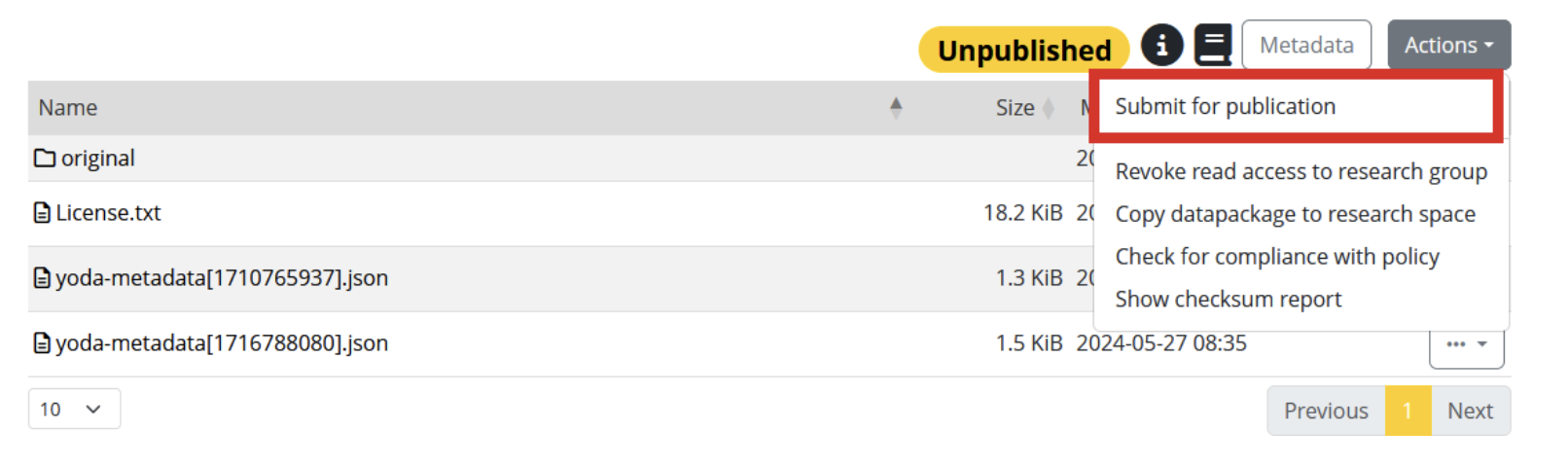
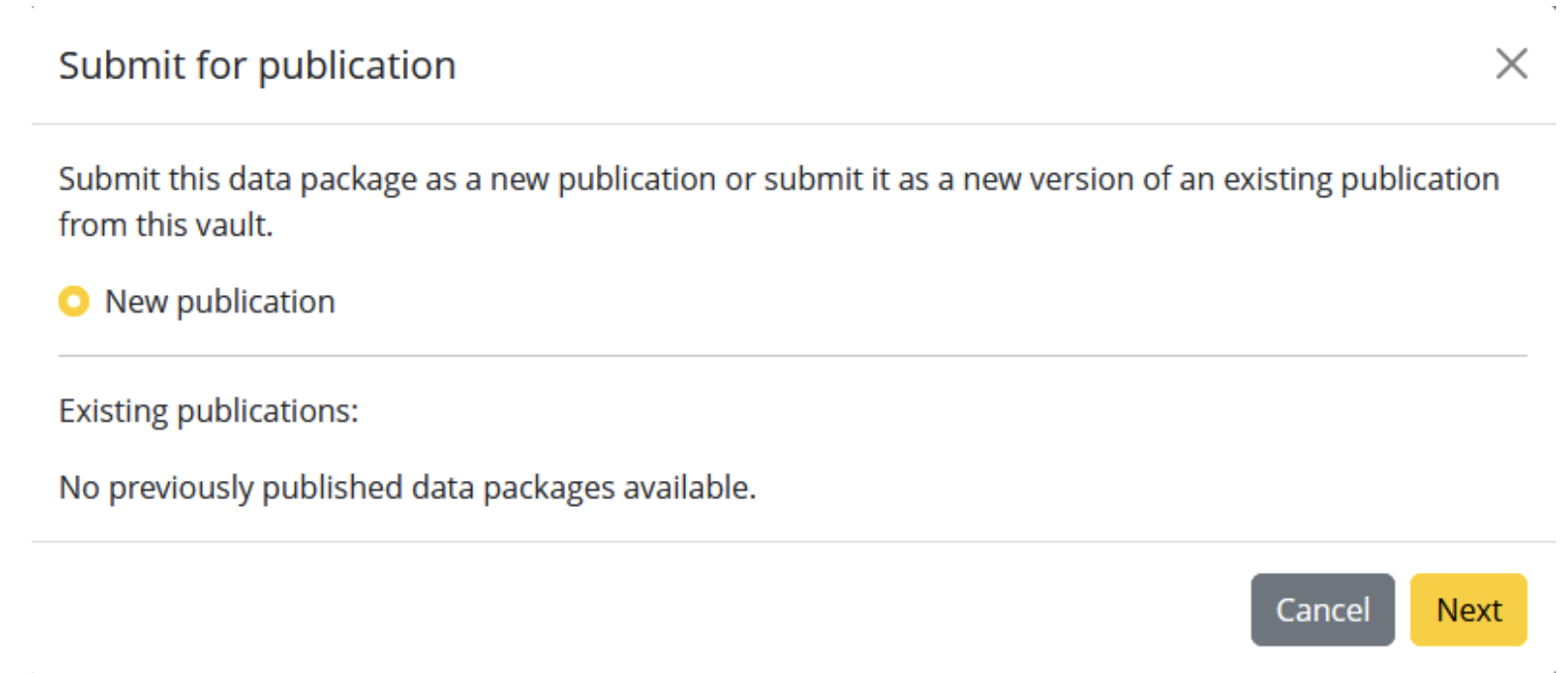
- Select 'Submit for publication'. THis option will show when you publish the data package for the first time (e.g. first version as new version).
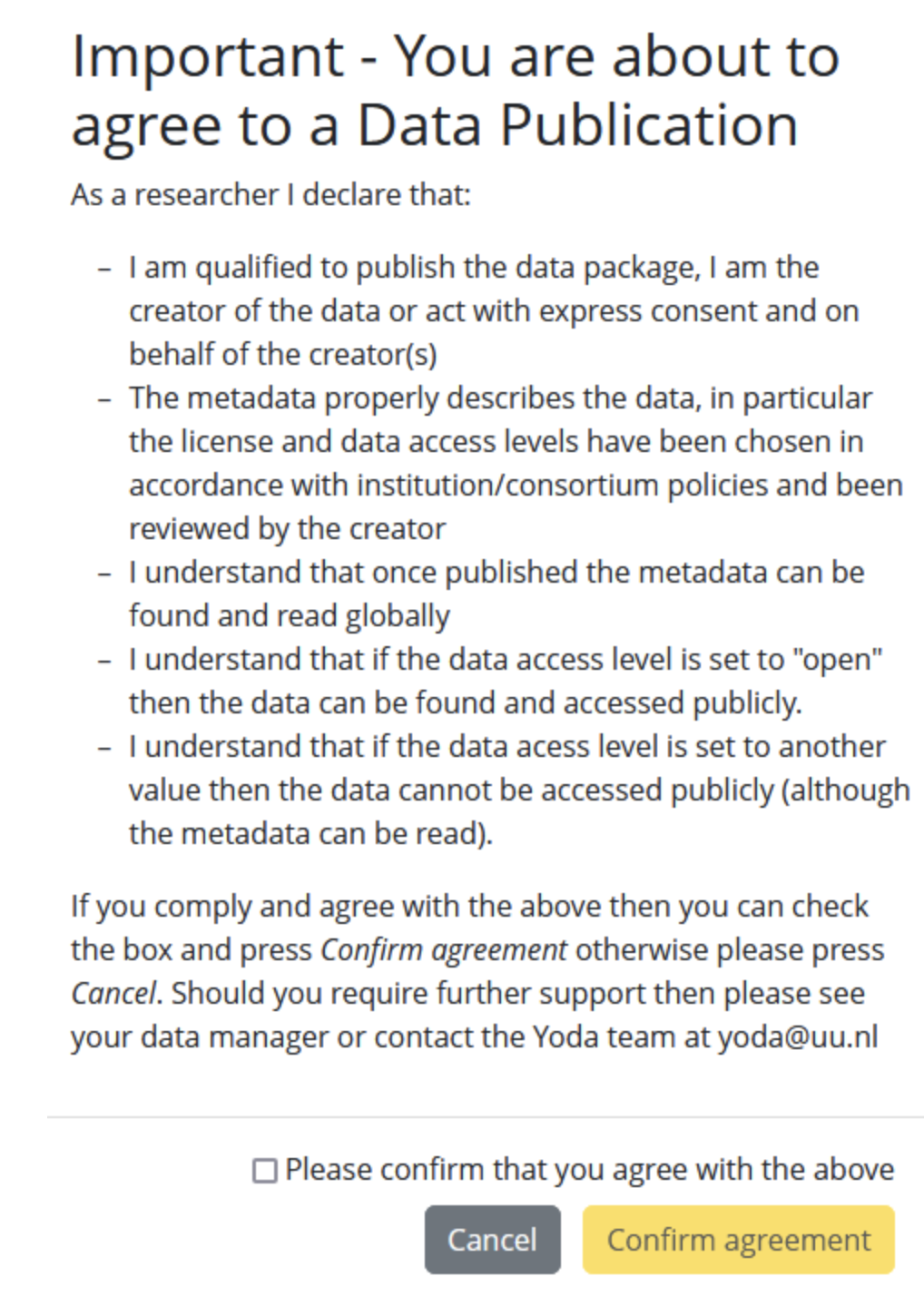
- Read the publication agreement.
- Click the box to agree with the statements in the agreement and click 'Confirm agreement'.
- Once you submit the publication, the data manager will approve the data package for publication. At this stage, a DOI with a url (landing page) will be generated containing the metadata fetched from the Yoda metadata form. This metadata set will also be registered in DataCite.
Et voilà — congratulations! 
You have submitted your dataset for publication. Your dataset will shortly be made public and you will receive the DOI for your data package.
Further reading
-
The 3 images displayed in Section 2 — What to do to publish your data in Yoda were obtained from the open documentation of Utrecht University: Guide to Yoda — Publishing your data in Yoda. https://www.uu.nl/en/research/yoda/guide-to-yoda/publishing-your-data-in-yoda ↩