VU Storage Tools
Overview
This is the VU Storage Tools section, part of the Tools collection. It covers VU-supported storage solutions and helps you choose the right one for your research data.
- Quick Links to VU Tools Documentation
- What is a VU Storage Tool?
- What to consider when choosing a storage solution
- Where to find more information
Authors: Irene Martorelli, Brett Olivier — Last modification: 2026-07-27 — Version: 1.2.0
 Quick Links to VU Tools Documentation
-
VU's active storage service covering the full data lifecycle — from storing and sharing active data to archiving and publishing.
-
SURF-hosted project storage for active "hot" and "warm" data, built for fine-grained collaboration and sharing.


 What is a VU Storage Tool?
As a researcher, you will often face the question: "Where should I store my files?"
The best answer depends on several factors. The VU provides multiple active storage solutions, each suited for different data types, workflows, and access requirements — you may need a combination at different stages of your project.
In this tools collection, we focus specifically on the VU active storage solutions, and in the following section we provide specific documentation and guides for each tool.
 What to consider when choosing a storage solution
Research projects often involve multiple data collections, each with unique storage requirements.
For this reason, you need to consider the following when selecting a storage solution:
Checklist for selecting a storage solution
- Data volume — How much data do you need to store, daily or over the entire project?
- Purpose
- Why do you want to put the data on a new storage solution?
- Is your data too large for your laptop?
- Do you need secure storage for your project?
- Do you need to back up your data? Share it, or archive your date?
- Access frequency — Also known as the data temperature, how often will you need to access or modify your data?
 Hot data — constantly accessed, analysed, and modified, typical of data being processed/generated/explored (active data)
 Cool data — Is less likely to be changing but needs to be accessible - typical of measurement data that needs to be available for further analysis.
  Frozen data — read-only, preserved for the long term (archived data)
- Storage duration — For how long do you need to store the data?
- Usage — How do you work or interact with the data? For example, Excel, Python/R scripts, instruments
- Collaboration — Are you working on the data by yourseful or you need to share it with other researchers?
- Sharing scope — Are collaborators within VU, external, or both?
- Data sensitivity — For example, is it obtained from, or about, a human subject: that falls under the GDPR/AVG legislation, or more sensitive patient/medical data?
- Budget - Does your project include, or do you have, a budget for storing/archiving this data?
 Where to find more information
Finding the right storage solution can be challenging, as information is often fragmented across different resources. While the VU does provide some information, research groups, departments and disciplines can all also have their own "in-house" storage. Here are some pointers to finding the best storage for your data:
1. Ask your network
Ask your colleagues in your research group and research section what they use, usually the practical experience is often the fastest guide.
2. Check the VU Storage Finder
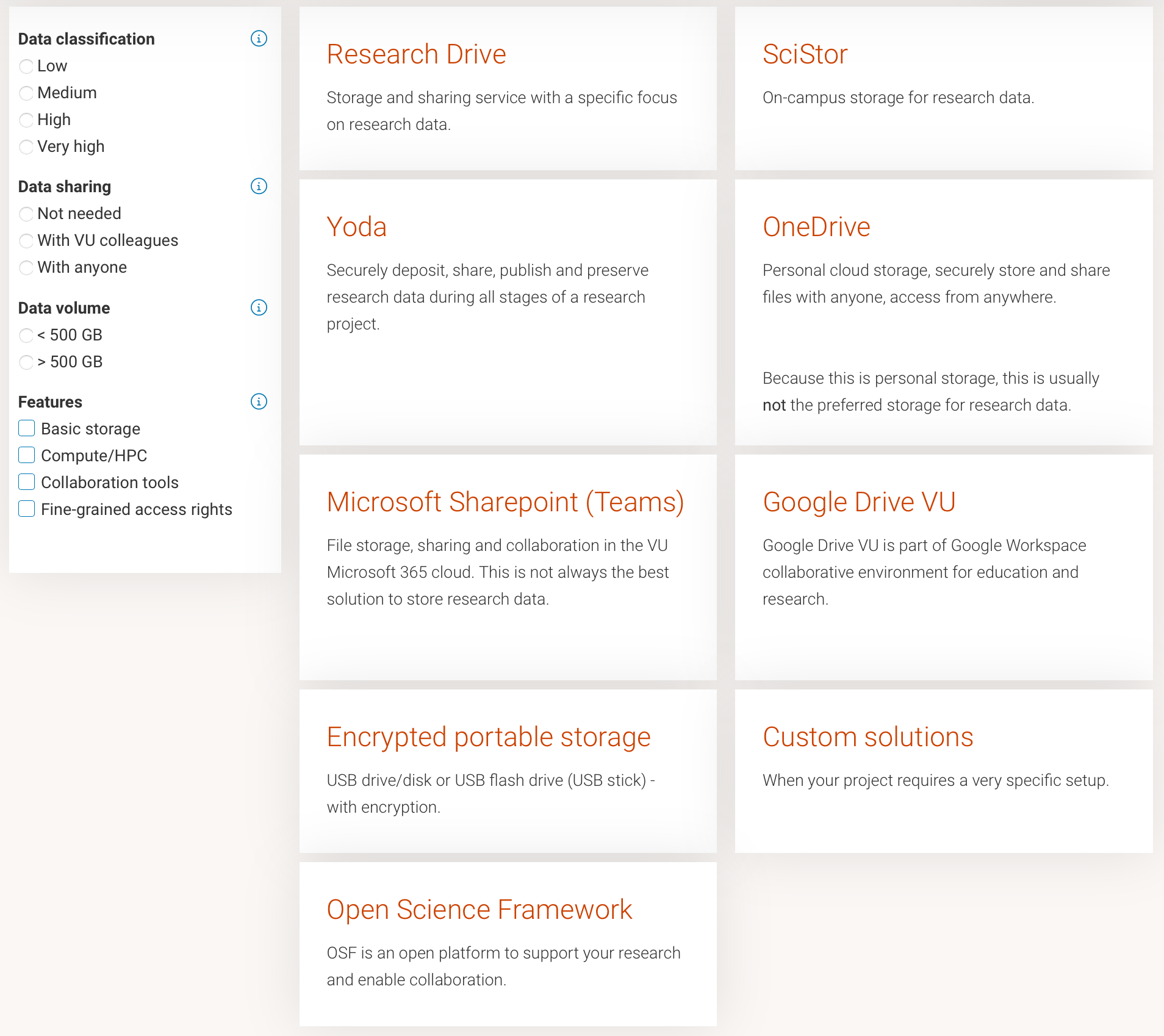
Try the VU Data Storage Finder. This interactive tool gives an overview of available options at the VU — even browsing the tiles without using the filters is informative.
3. Contact RDM A-LIFE support
Contact your local RDM support for more information and the design of custom storage solutions:
- Data Steward: Brett Olivier — data@aimms.vu.nl
- A-LIFE Data Specialist: Irene Martorelli — i.martorelli@vu.nl
 Ready to get started? Go back to the Quick Links above for direct links to each tool's documentation, or use the left sidebar to select directly which tool you want to use.