 Manual — Create an eduID
Overview
This is the Create an eduID manual, part of Manuals in the A-LIFE RDM GEMs collection.
This manual explains how to create an eduID account, which is required to access institutional supported tools, such as Yoda if your institution is not listed in the SRAM institutions list.
Supporting materials: Yoda - Manage Members
Authors: Irene Martorelli, Brett Olivier — Last modification: 2026-08-02 — Version: 0.2.0
 What is eduID?
eduID is a digital identity provided by SURF that gives you a way to log in to websites and other online services in the Netherlands. With your eduID you can access administrative and educational processes at Dutch research and education institutions1 — even if you are not directly affiliated with one. It is designed for users whose institution is not part of the SRAM network, or who have no current institutional affiliation.
We recommend using the eduID app, as it is the most secure and convenient option. The app lets you log in without a password, and two-factor authentication (2FA) provides an extra layer of security.
 When should you create an eduID?
You need an eduID when you have been invited to a Yoda Research Space but are unable to log in because your institution is not listed among the organisations supported by SRAM.
This is typically the case when:
- Your institution is not a Dutch research or education organisation
- Your institution is a Dutch organisation but is not yet connected to SRAM
- You are an independent researcher or freelancer with no current institutional affiliation
Before creating an eduID, check whether your institution is already supported by SRAM by consulting the list of institutions using SRAM (last accessed: 2026-06-29). If your institution appears in the list, you do not need an eduID — you can log in directly using your institutional credentials.
If your institution is not in the list, or if you try to log in and are redirected to an unfamiliar page without a recognisable login option, then creating an eduID is the recommended solution.
 Steps to create an eduID
-
Go to the eduID registration page — visit eduid.nl and click Create an eduID.
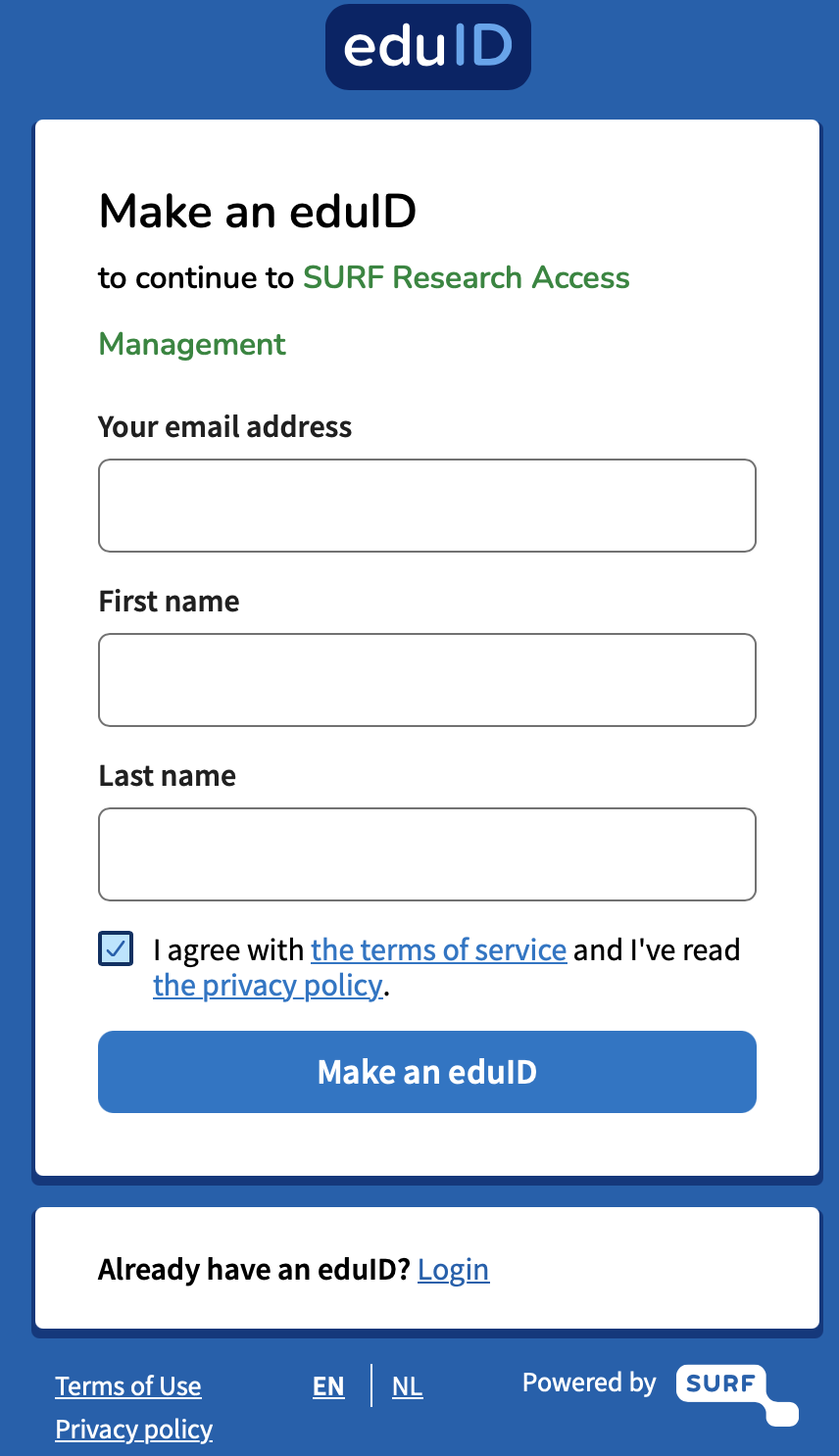
Figure 1: Creating an eduID account -
Register your account — provide your email address and follow the steps to set up your account, including Multi-Factor Authentication (MFA).
Use an account you can always access
Make sure you register your eduID with an email address you can always access. Avoid using an institutional email address from another affiliation, as you may lose access to it in the future (e.g. when leaving an institution). Use a personal email address instead.
